
BigPicture Enterprise just got even more powerful. With the release of its new Priorities module, teams can now bring structure, strategy, and alignment to the way they decide what to work on next. Whether you’re managing complex portfolios or sprint planning in Agile, this module is designed to help you focus on what truly matters.
Why Prioritization Matters
In project management, prioritization is the art (and science) of deciding what deserves attention first. Done well, it ensures your team is spending its time on high-impact work that drives value—without wasting resources on tasks that don’t move the needle.
BigPicture now brings this essential capability directly into your workspace with a dedicated module that supports multiple well-known prioritization frameworks.
Let us start with making sure all the terms are clear before we dive deeper into the functionalities.
What is Prioritization in Project Management?
Prioritization in project management is the process of deciding which tasks, features, or projects to work on first, based on their value, urgency, and resource requirements. The goal is to ensure that the team focuses on the most impactful work to deliver maximum value efficiently.
There are 5 frameworks to choose from in the module, so this is probably the first step you need to take to start – choose one of those:
Choose Your Framework: 5 Built-In Options
The Priorities module gives teams the freedom to prioritize according to their own needs. Five tried-and-tested frameworks are available out of the box:
1. ICE (Impact, Confidence, Ease)
- Impact: How much value the task will create.
- Confidence: How sure you are about your estimates.
- Ease: How easy it is to implement.
- Score: ICE = (Impact × Confidence × Ease)
- ✅ Used for: Quick assessments with limited data.
2. RICE (Reach, Impact, Confidence, Effort)
- Reach: How many users or customers it will affect.
- Impact: The level of positive effect per user.
- Confidence: Certainty about the estimates.
- Effort: Time/cost to complete (in person-hours/days).
- Score: RICE = (Reach × Impact × Confidence) / Effort
- ✅ Used for: Product and feature prioritization.
3. Value vs Effort
- A simple 2×2 matrix:
- High Value / Low Effort = Quick Wins
- High Value / High Effort = Strategic Projects
- Low Value / Low Effort = Fill-ins
- Low Value / High Effort = Avoid
- High Value / Low Effort = Quick Wins
- ✅ Used for: Visual prioritization and stakeholder discussions.
4. WSJF (Weighted Shortest Job First)
- Formula: WSJF = Cost of Delay / Job Duration
- Cost of Delay includes factors like business value, risk reduction, and time sensitivity.
- Job Duration is how long it takes to complete.
- ✅ Used in: Agile and SAFe (Scaled Agile Framework) environments to deliver value faster.
5. Quick Wins
- Tasks that require low effort but deliver high value.
- Often targeted early to build momentum, gain trust, or show early results.
- ✅ Used for: Early project phases or stakeholder confidence.
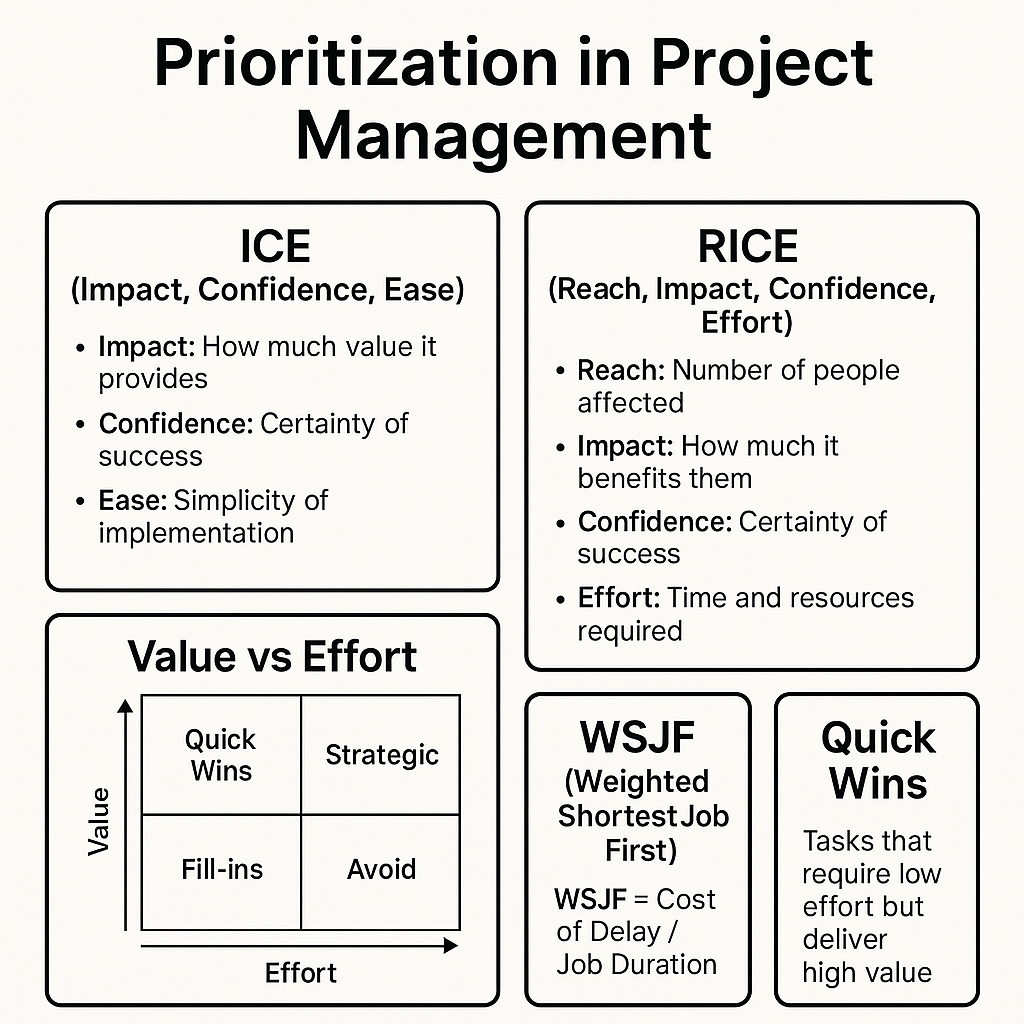
Here is a visual that will make it easier for you to understand and remember what those frameworks are all about:
Assess and let BigPicture calculate the score for you
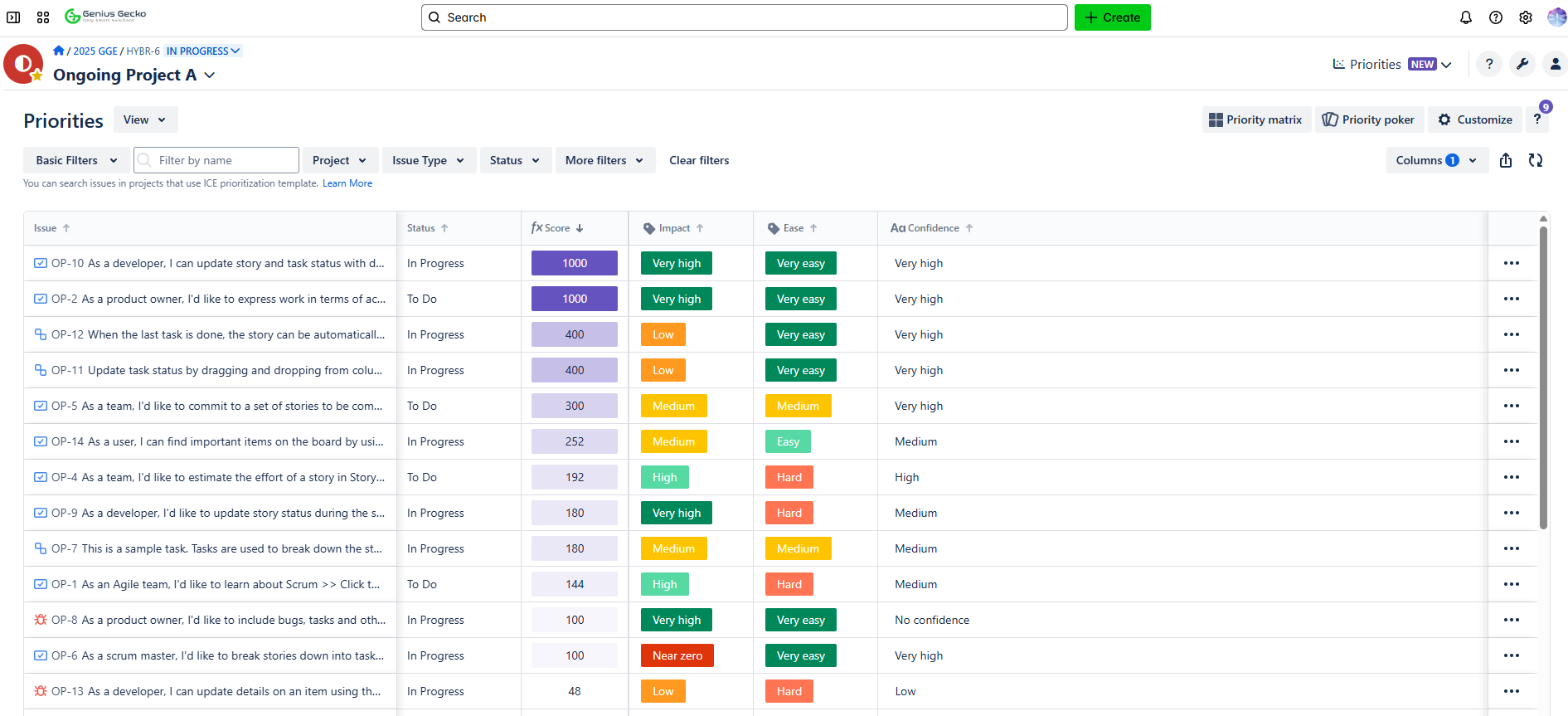
Next step that has to be taken is assessing tasks and setting the priorities the correct way so that you have your score calculated for you by BigPicture:
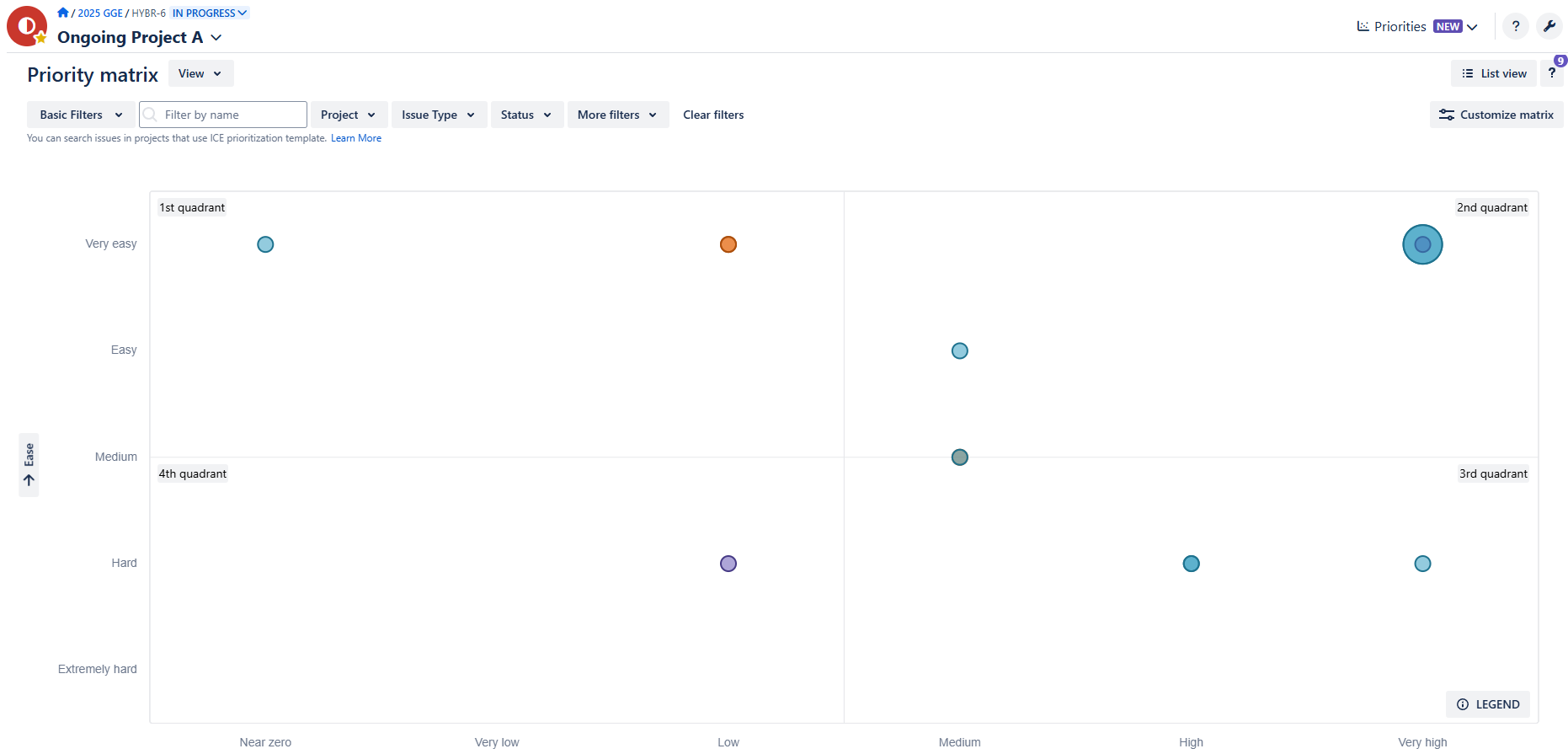
You can visualize these scores and decisions in a Priority Matrix, making it easier to communicate and align with stakeholders:
Fully Customizable, Fully Yours
Customization is at the heart of the Priorities module (and not only this one!):
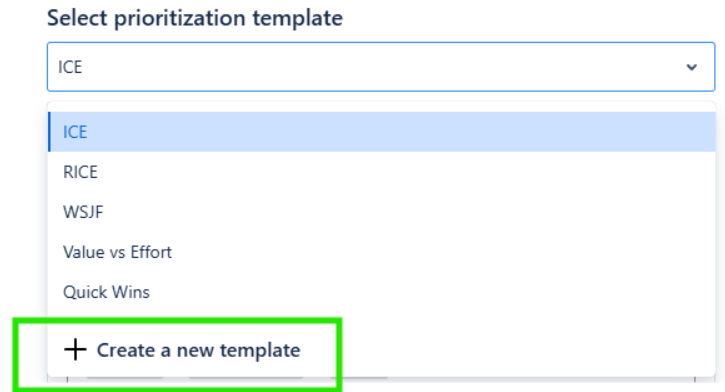
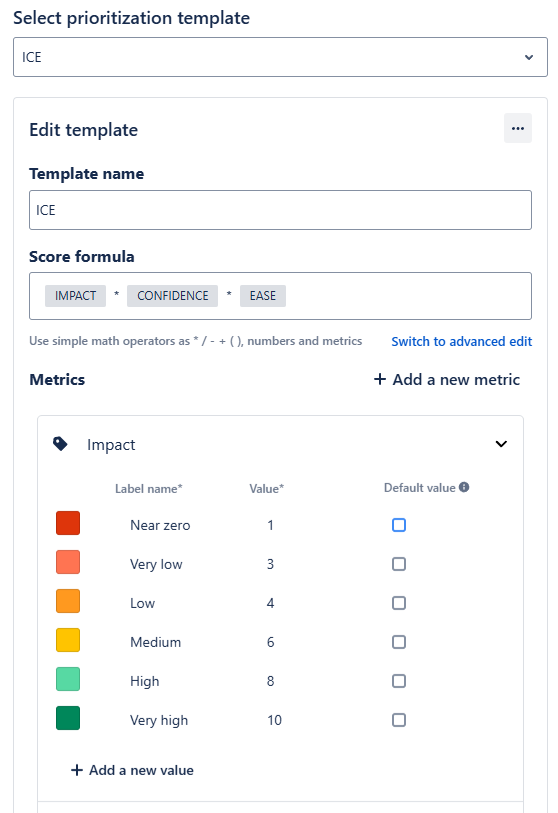
- Modify or create templates: Adjust scoring formulas, add your own metrics, or modify the existing ones
- Set a default value – every time you will be adding a new record, it will get priority values added as per the chosen default
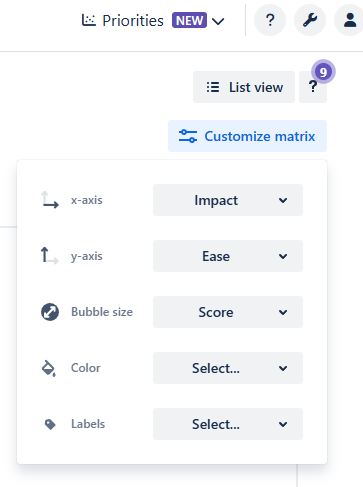
- Tailor your views: Change the way you visualize priorities to match your project type, size or decision process.
- Dynamic filtering and sorting: Zoom in on what matters most, at any level of granularity.
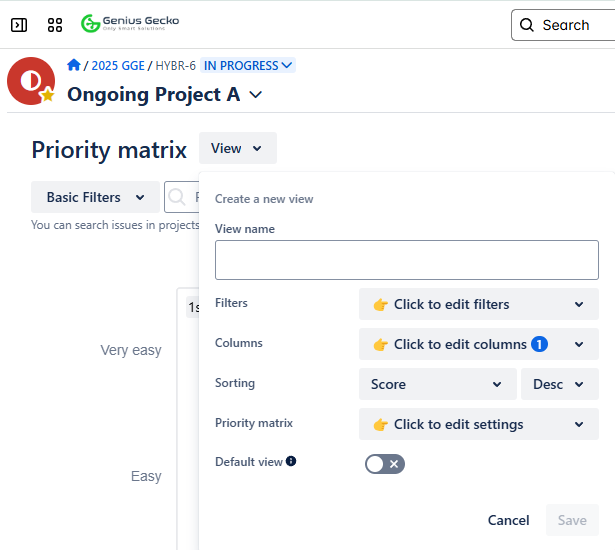
Whether you’re working on a product backlog or managing strategic initiatives, the module flexes to fit your workflow.
Bring the Team Together with Priority Poker
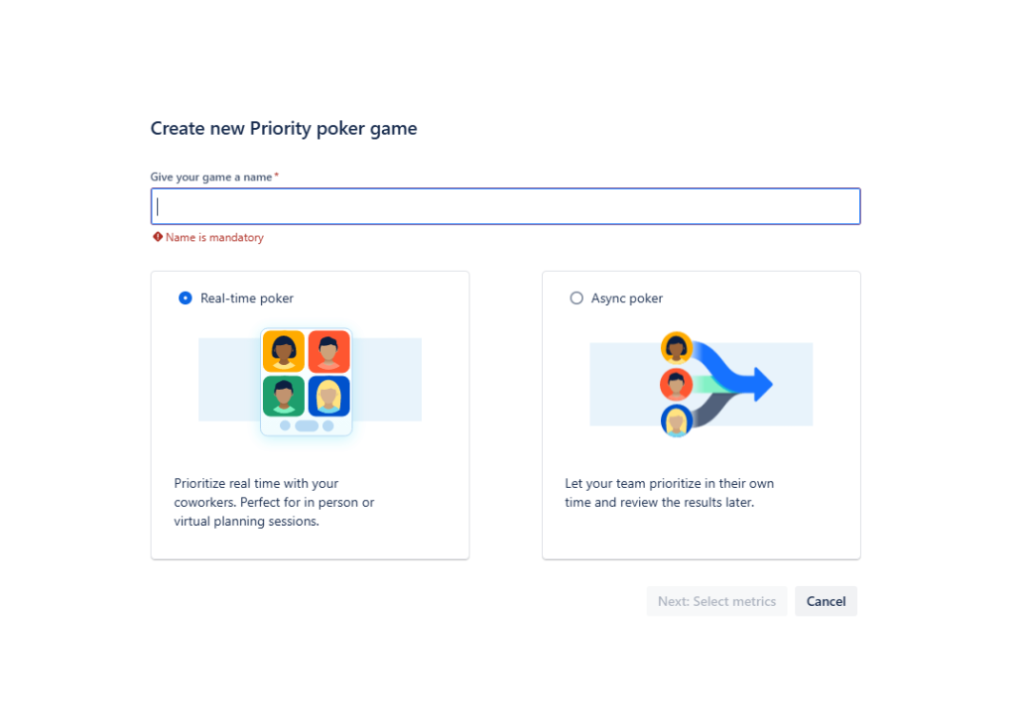
Making decisions doesn’t have to be slow or one-sided. With Priority Poker, BigPicture adds a fun, collaborative twist to task scoring:
- Use Real-Time Poker to enable instant voting and live discussions. Everyone gets a voice, and silence no longer dominates planning sessions. More details to be found here.
- Prefer asynchronous collaboration? Try Async Poker, which lets team members vote on their own time, ensuring inclusivity across time zones.
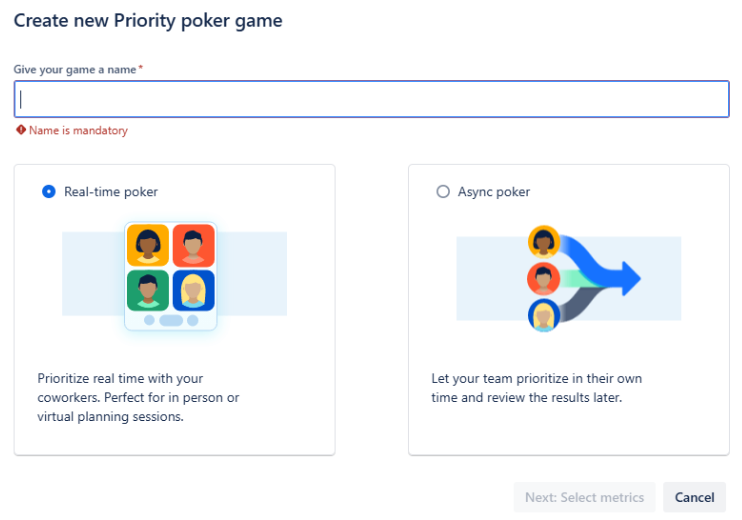
This feature enhances transparency, speeds up decision-making, and makes prioritization a team sport.
With the Priorities module, BigPicture takes another big step in transforming how teams plan, align, and deliver. Whether you’re driven by data or guided by gut, this tool puts structure around your decision-making process—making sure your team works on the right thing, at the right time.